

Latest Version
Jackie Liu
Lifestyle
Windows
Free
9nhl4nsc67wm
Report a Problem
More About Notepads App
A Modern Alternative for Your Daily Text Editing Needs
Finding the right balance between a cluttered word processor and a bare-bones text file editor can be challenging. The Notepads App text editor steps into this space as a sleek, modern, and incredibly fast utility designed specifically for Windows users. Created by developer Jackie Liu, this lightweight program reimagines what a basic text editor can look like by combining minimalist aesthetics with high-performance utility.
Whether you are a developer quickly modifying configuration files, a writer drafting thoughts in Markdown, or a power user who relies on command-line efficiency, this application offers a fluid interface that feels right at home on Windows. Let's explore what makes it a compelling choice for your daily workflow.
Key Features of the Notepads App Text Editor
This utility is packed with practical features that elevate it far beyond the default system notepad without adding unnecessary bloat:
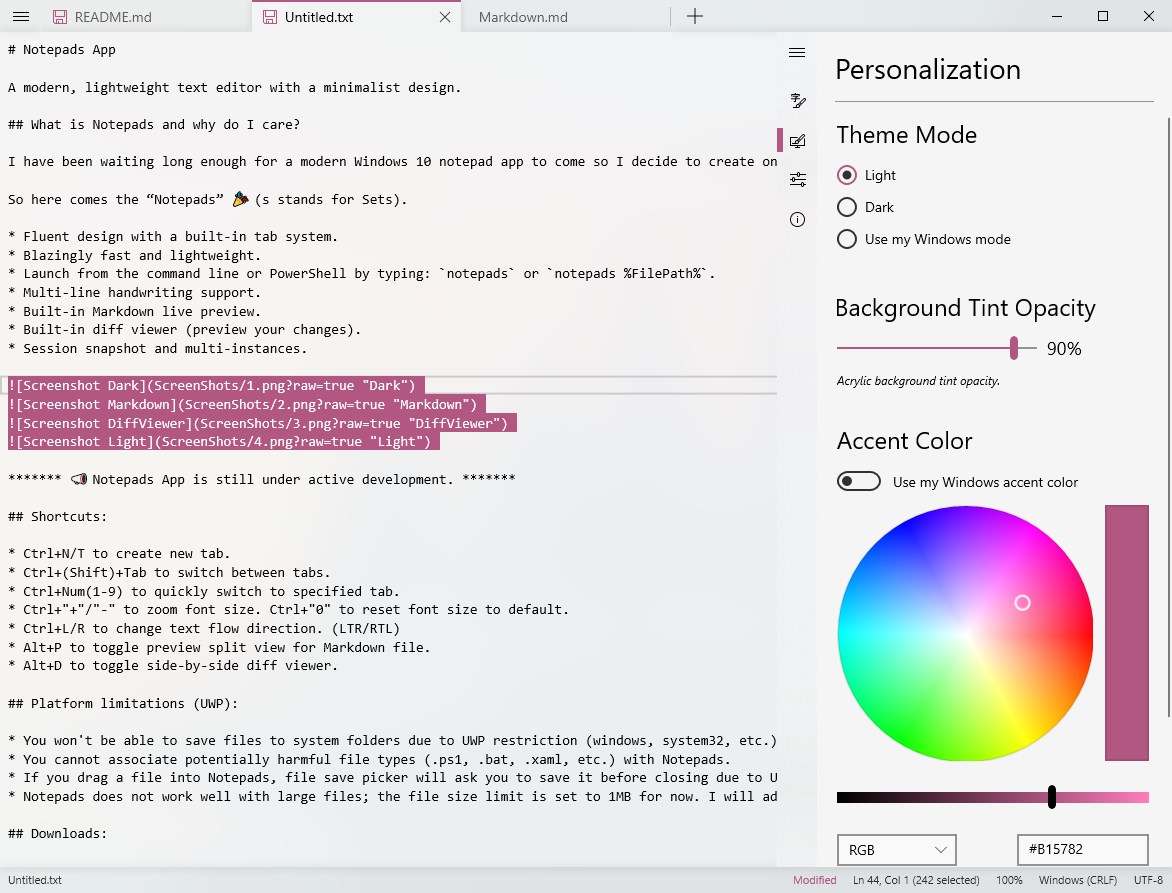
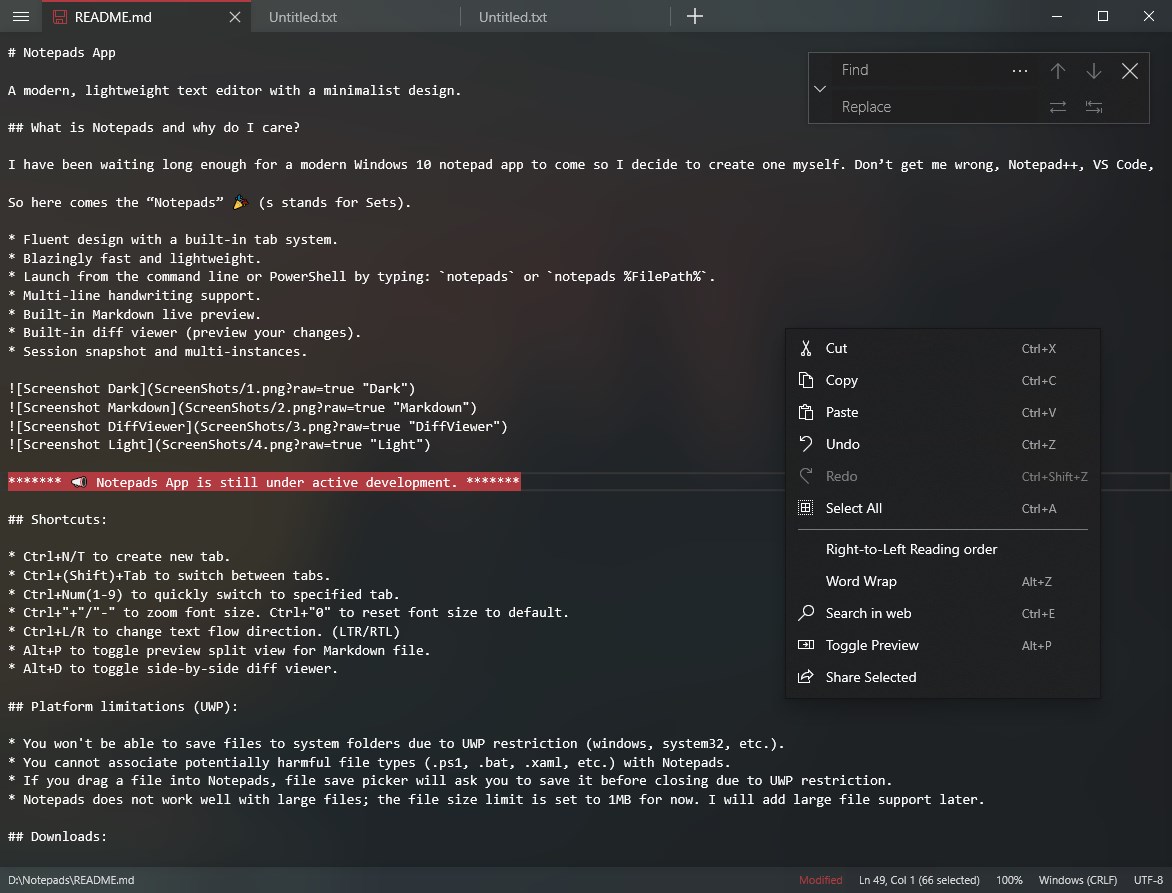
- Multi-Tab System: Manage multiple documents simultaneously within a single, organized window using the built-in fluent tab interface.
- Command Line Integration: Launch the editor instantly from your Command Prompt or PowerShell terminal simply by typing "notepads".
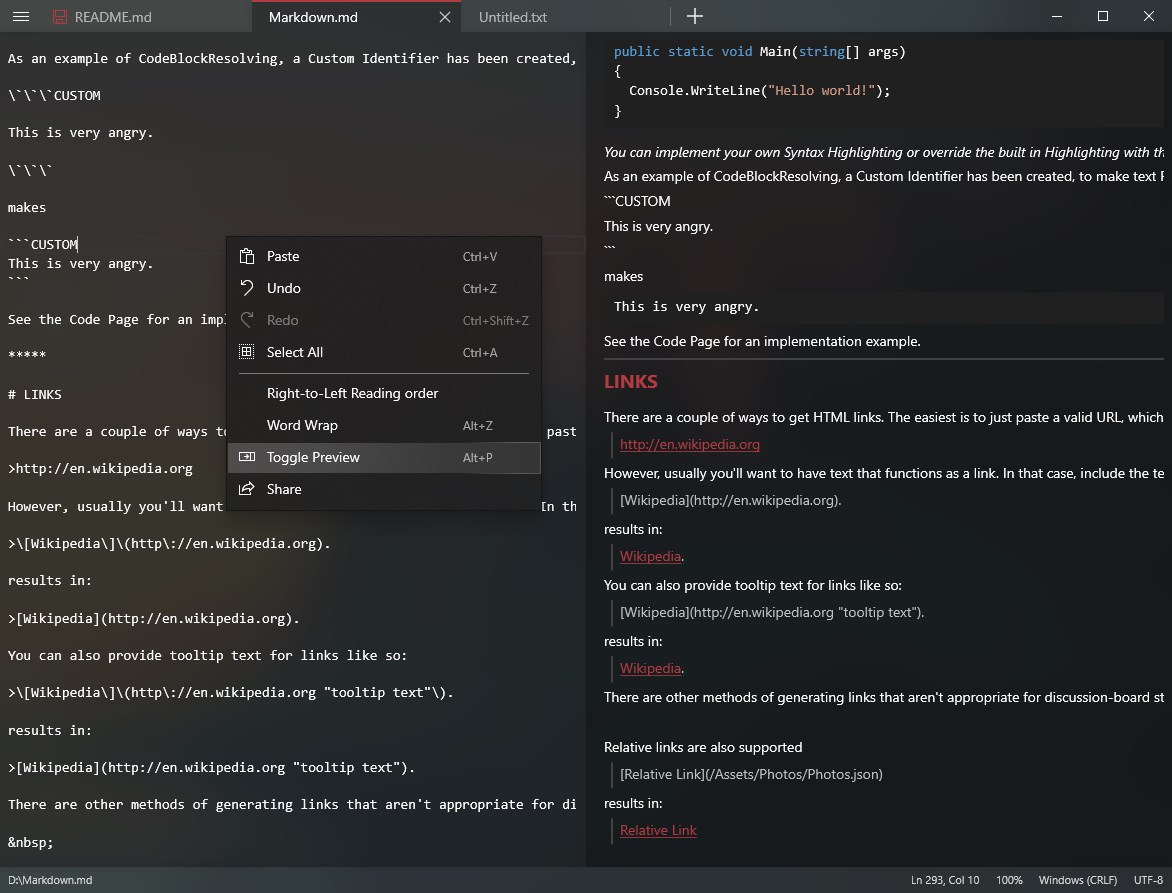
- Markdown Preview Viewer: Write and visualize your documentation on the fly with a built-in Markdown previewer.
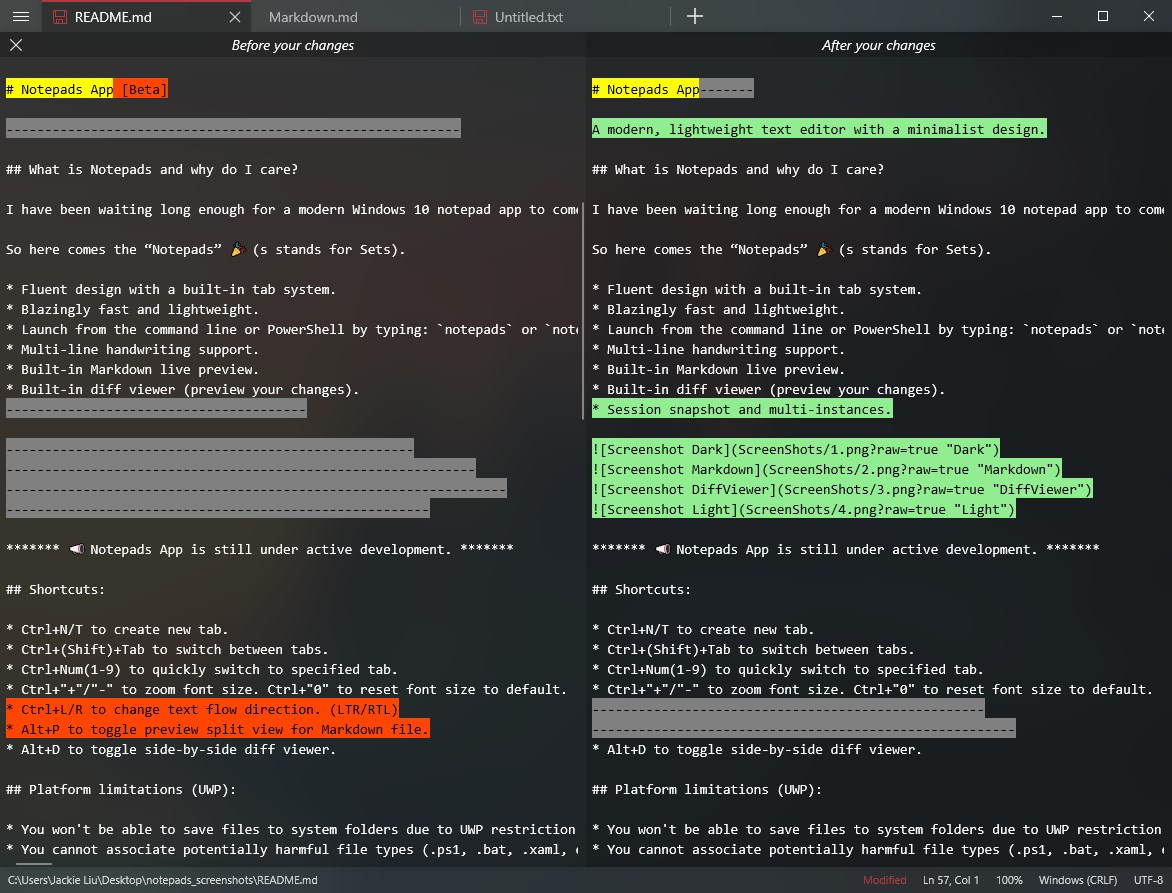
- Side-by-Side Diff Viewer: Easily track modifications and compare document versions using the built-in diff utility.
- Session Snapshot: Never lose your progress. The app retains your open files and unsaved sessions across restarts.
- Handwriting Support: Take advantage of multi-line handwriting recognition if you are utilizing a touch or stylus-enabled Windows device.
Who is This Lightweight Editor For?
The Notepads App text editor is engineered for individuals who demand speed but refuse to sacrifice modern design. It is particularly useful for system administrators needing quick configuration edits, developers requiring a fast scratchpad alongside their heavy IDEs, and casual users who want a clean, tabbed environment for simple note-taking. Because it is optimized for the Windows platform, it integrates seamlessly into your existing desktop ecosystem while maintaining a remarkably low memory footprint.
An Optimized Workflow for Windows Users
What sets this utility apart is how naturally it fits into a professional workspace. The fluent design aesthetic matches modern Windows styling perfectly, offering dark and light modes that reduce eye strain. Instead of opening dozens of individual windows, the tab system keeps your desktop organized, while the automatic session snapshots ensure that unexpected reboots do not result in lost work.
If you are ready to upgrade your default writing setup to something faster and more versatile, you can find more information and download links on the official Microsoft Store. Head over to the official platform page to install the Notepads App text editor and experience a streamlined writing workflow today.
Rate the App
User Reviews








Popular Apps










Editor's Choice